A customer calls and you answer — a real person, not a robot. Koda takes it from there: files the new client and work request in your service application, texts you the details, chases the follow-up, and books the job.
Home-service businesses miss up to 6 in 10 inbound calls — the crew's on the job, not at a desk. Koda makes sure none of them becomes a lost job.
You still talk to every customer yourself. Koda just captures the call, flags the ones to call back, and logs every detail into your service software — so a missed call never becomes a lost job.
No robot receptionist, no "press 1." Your customers always reach a real person — you. Koda just does the paperwork behind every call.
Take the call, talk it through, keep moving. Don't worry about writing anything down — Koda already logged all of it in your service software.
Just talk to them. Koda does everything else — adds or updates the client, creates the note, and even gives you a link to listen to the call.
Ride along with a single call — from the moment it rings to a booked, photo-ready job on your calendar. Watch how little of it you actually touch.
A call comes in — or drops to voicemail — while you're driving to the next job. You can't stop.
Before you're at the light, Koda's filed a new client and work request from that call. Nothing typed.
You return the call when you get a second. Koda notes it on the client and clears the follow-up task.
From the Koda app in your truck, you send the customer a link to pick their assessment time.
The customer only sees times that fit your route — the days you're already working their area.
They pick a time and text pictures of the problem — the message and photos are added right to the client note, so you show up already knowing the job.
Everything else runs itself.
Koda listens to every call as you make it, understands the details and the actions, and automatically enters the data and does the work — while you keep working.
Answered, outbound, missed, or voicemail — every call on the phone system you already run.
As you talk, Koda catches the details and what needs to happen — then enters the data and takes the actions for you.
New client and work request created automatically. No typing.
You get an SMS with the details. Missed-call tasks clear the moment someone calls back.
Koda plugs into your existing phone system and pushes straight into your service software. Nothing to install, no number to change.
A look at Koda actually working — the client it filed, the report it built, the text you get, the app in your pocket.
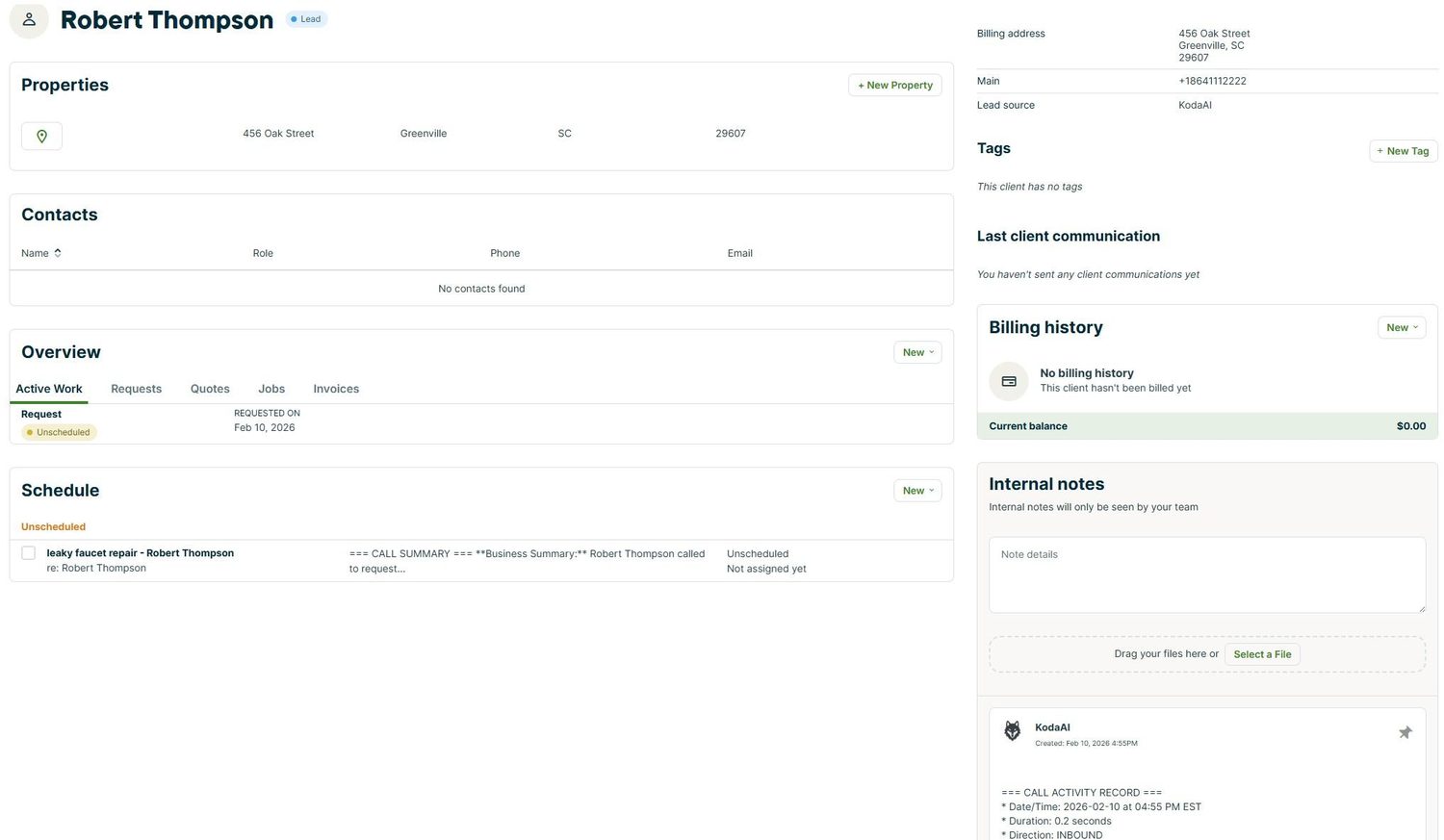 New client + call note, filed automatically in your service application
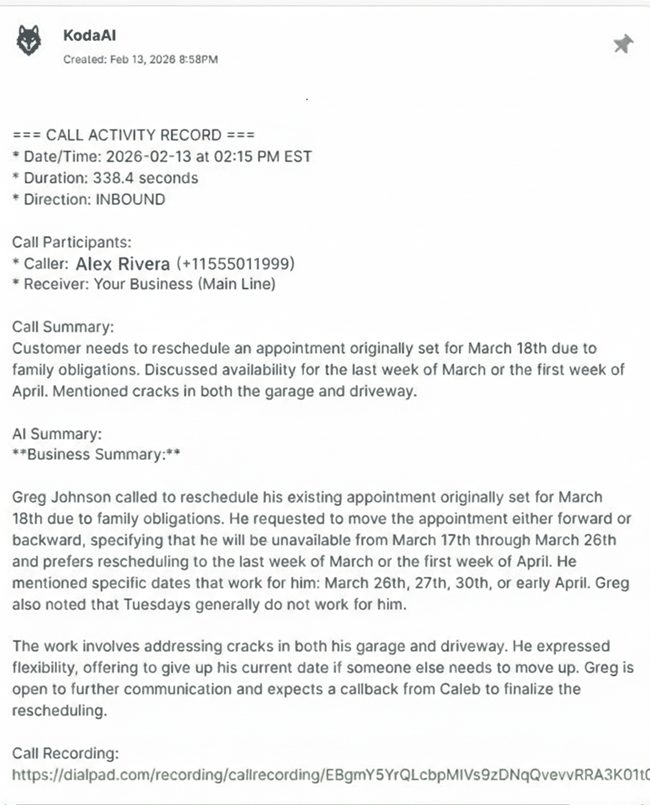 AI call summary + recording link, right on the client note
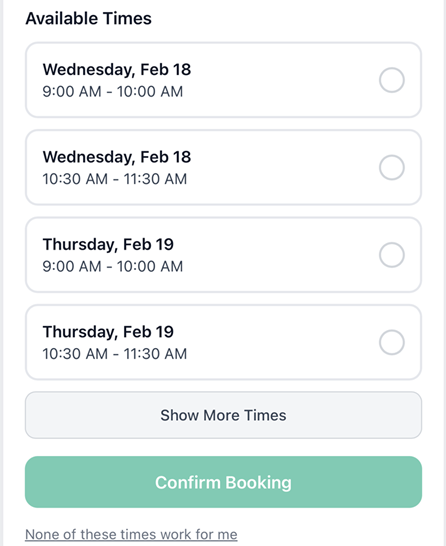 Smart scheduling — the customer picks a time that fits your route
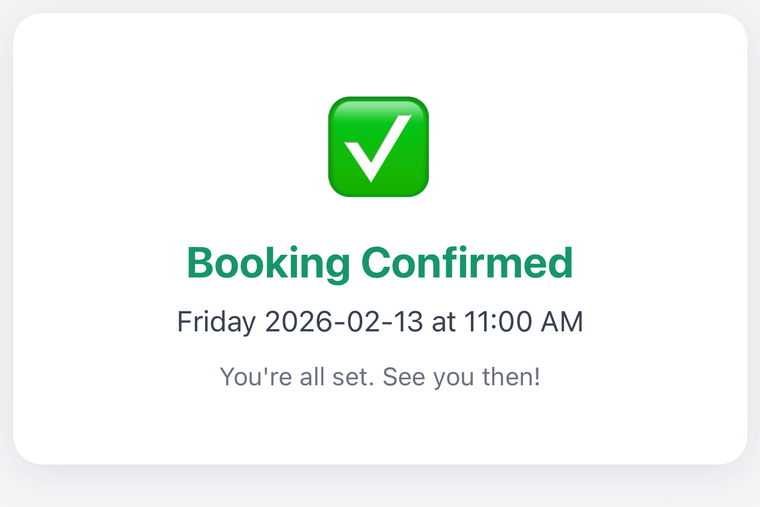 Booked & confirmed — no back-and-forth
Every call ranked by what needs you, a running list of what's waiting, and your whole schedule — assessments, jobs, and tasks. All in the Koda for Business app.
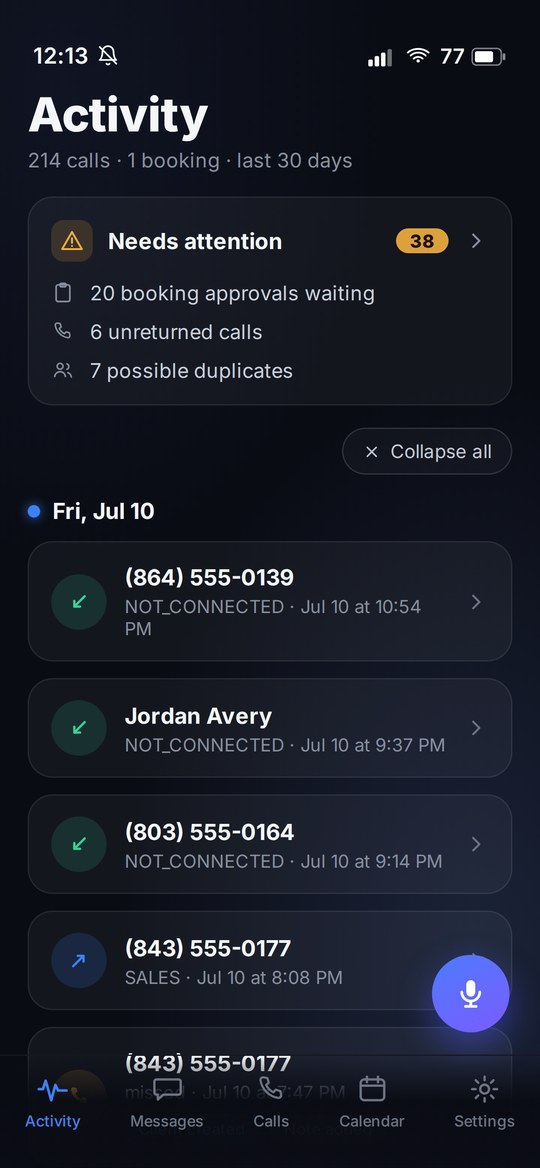
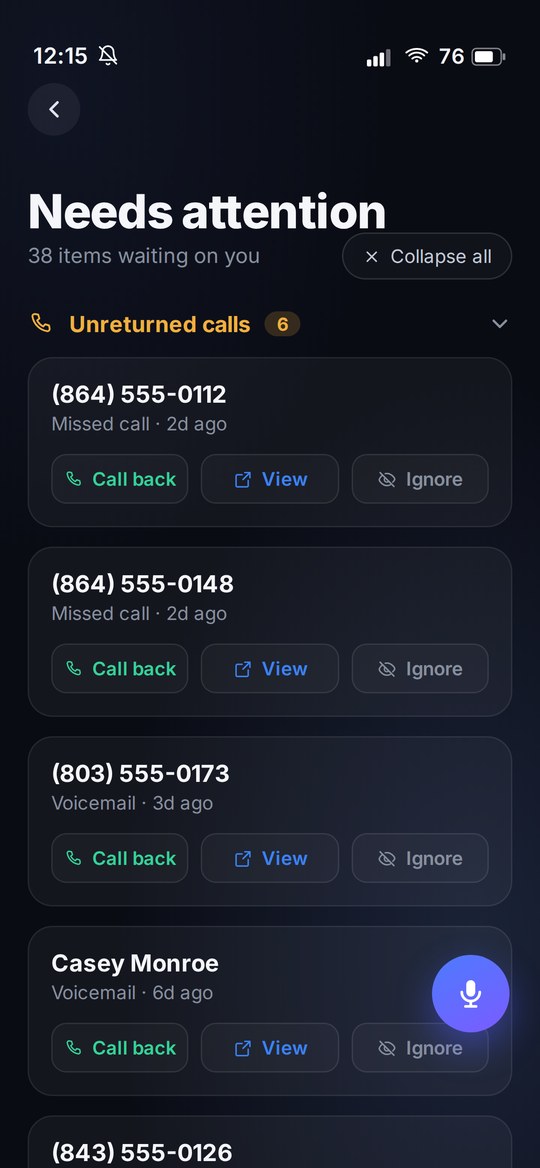
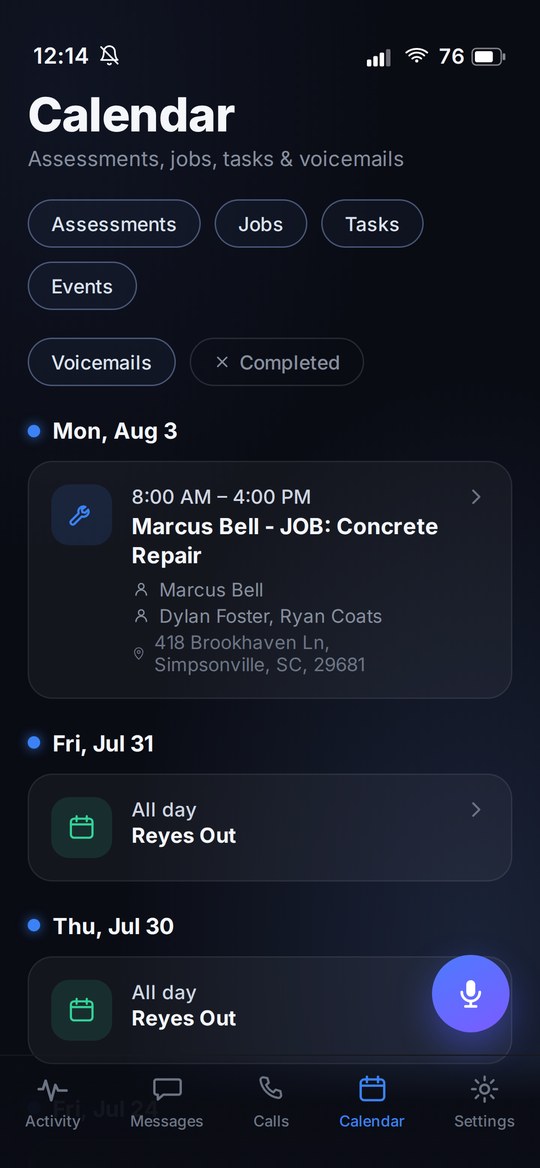
Every account gets an Activity Report — the hours and dollars Koda put back in your pocket.
Built by people who run a service company too. We got tired of losing leads to voicemail — so we fixed it.
Start free, upgrade when Koda's paying for itself. Every plan works with the phone you already have.
| Compare plans | Free$0 | Starter$99 | Professionalpopular$199 | Enterprise$499 |
|---|---|---|---|---|
| Platform | ||||
| Koda for Business app iOS & Android | ✓ | ✓ | ✓ | ✓ |
| Volume | ||||
| Calls per month | 25 | 150 | 375 | 1,000 |
| Phone numbers | 1 | 2 | 5 | 10 |
| Call capture | ||||
| New client in your service app | ✓ | ✓ | ✓ | ✓ |
| Address captured | – | ✓ | ✓ | ✓ |
| Email captured | – | ✓ | ✓ | ✓ |
| Service type detected | – | – | ✓ | ✓ |
| Urgency detected | – | – | ✓ | ✓ |
| Auto-create work requests | – | – | ✓ | ✓ |
| Call recording link on the note | – | ✓ | ✓ | ✓ |
| Notifications | ||||
| Instant SMS to your team | – | ✓ | ✓ | ✓ |
| SMS recipients | — | 1 | 3 | 10 |
| Recording link in the text | – | – | ✓ | ✓ |
| Calls & follow-up | ||||
| Outbound calls logged | – | ✓ | ✓ | ✓ |
| Missed-call tracking | – | ✓ | ✓ | ✓ |
| Booking & scheduling | ||||
| Assessment booking links | – | ✓ | ✓ | ✓ |
| Booking phone numbers | — | 1 | 5 | 10 |
| Smart follow-up reminders | – | – | ✓ | ✓ |
14-day free trial. No new hardware. Cancel anytime.
Start Free Trial →